
How To Create New Account on NAM Tracker.
Log on to the system following the link below.
https://nam.ridethesystem.com/
The NAM TRACKER Log in screen will then appear – you will need to set up as a NEW USER.
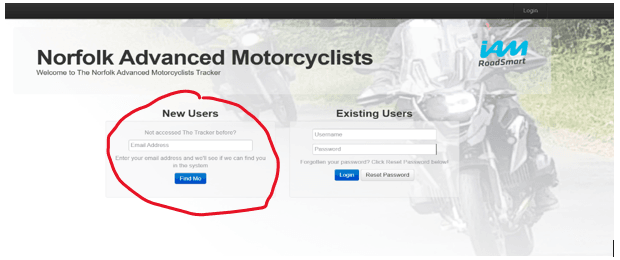
Simply enter your email address, click the FIND ME button and the system will send you a verification email. If your email is not recognised we will receive a notification and will be able to assist. Make sure you are using the same email address as registered with NAM.
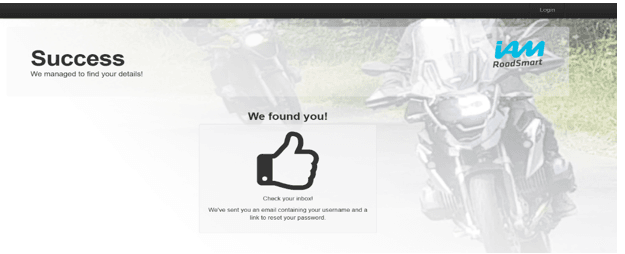
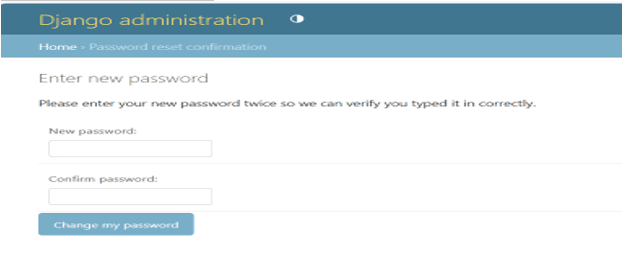
Follow the link on the email back to the log in page. Here the system will create a user name for you which is your FIRST and LAST name with a . between. You will need to create your own PASSWORD for future use.
You should now be able to access the system, and the first page you will see will be the EVENTS CALENDAR.
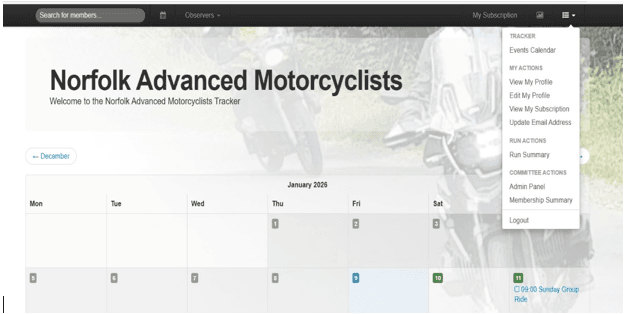
Clicking the MENU option (three dots and three lines), at the top / right of the black navigation bar at the top of the screen will bring up your menu items.
As a member you can select any of the options under ‘MY ACTIONS’ to access information and edit information about your Profile, Subscription or email address.
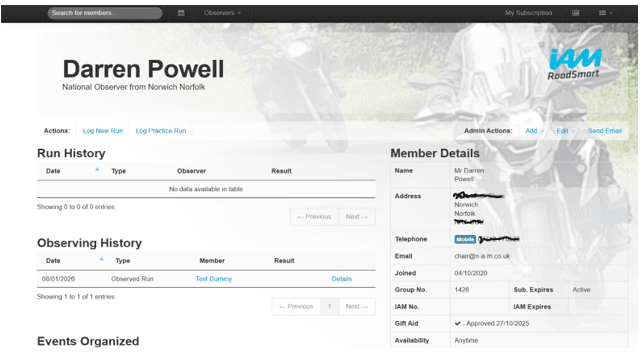
Feel free to look around and if there are any issues please contact the club on events@n-a-m.co.uk and we will endeavor to assist.